-
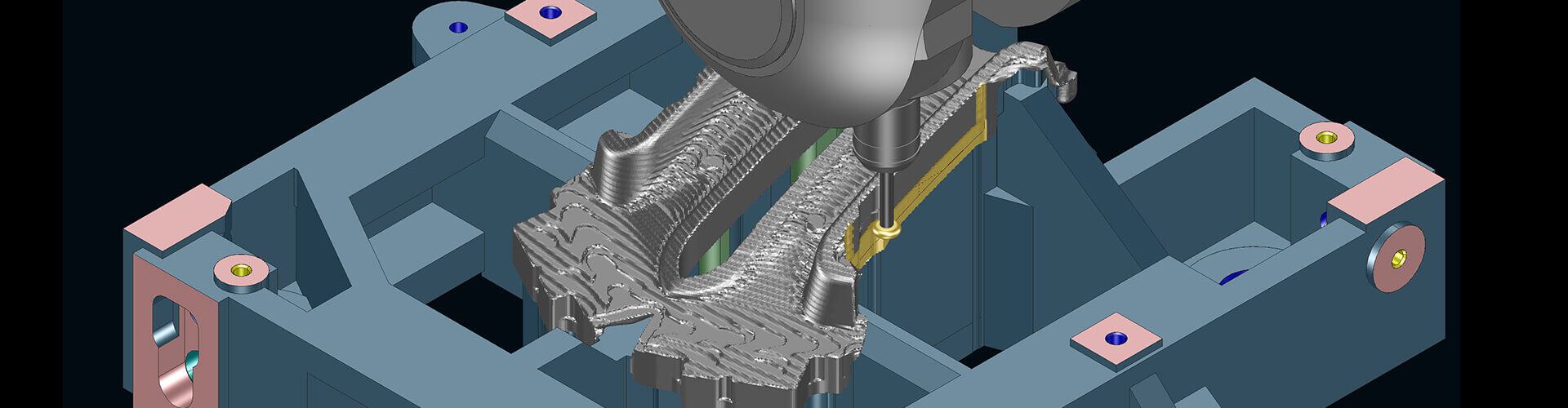
Tebis 4.1 Release 12 – maximum performance. Integrated safety. On every machine.
Tebis 4.1 Release 12 offers targeted extensions to key design, CAM, and automation functions. These allow you to work with greater consistency, apply machining strategies with greater flexibility, and maintain control of your processes at all times. New features and optimizations of existing features work together seamlessly to enable efficient use of your current machines and safe, stable expansion of your manufacturing processes.
Benefits of Tebis 4.1 Release 12
- Improved everyday performance thanks to more efficient design and CAM workflows
- Greater process safety through integrated checks and automation mechanisms
- Flexible use of existing machines, even for more demanding tasks
- Less manual effort thanks to automated decision-making and consistent logic
- Better results through optimized machining strategies and stable processes
Direct CAD data exchange with CATIA 3DEXPERIENCE
Seamless integration into existing Tebis processes
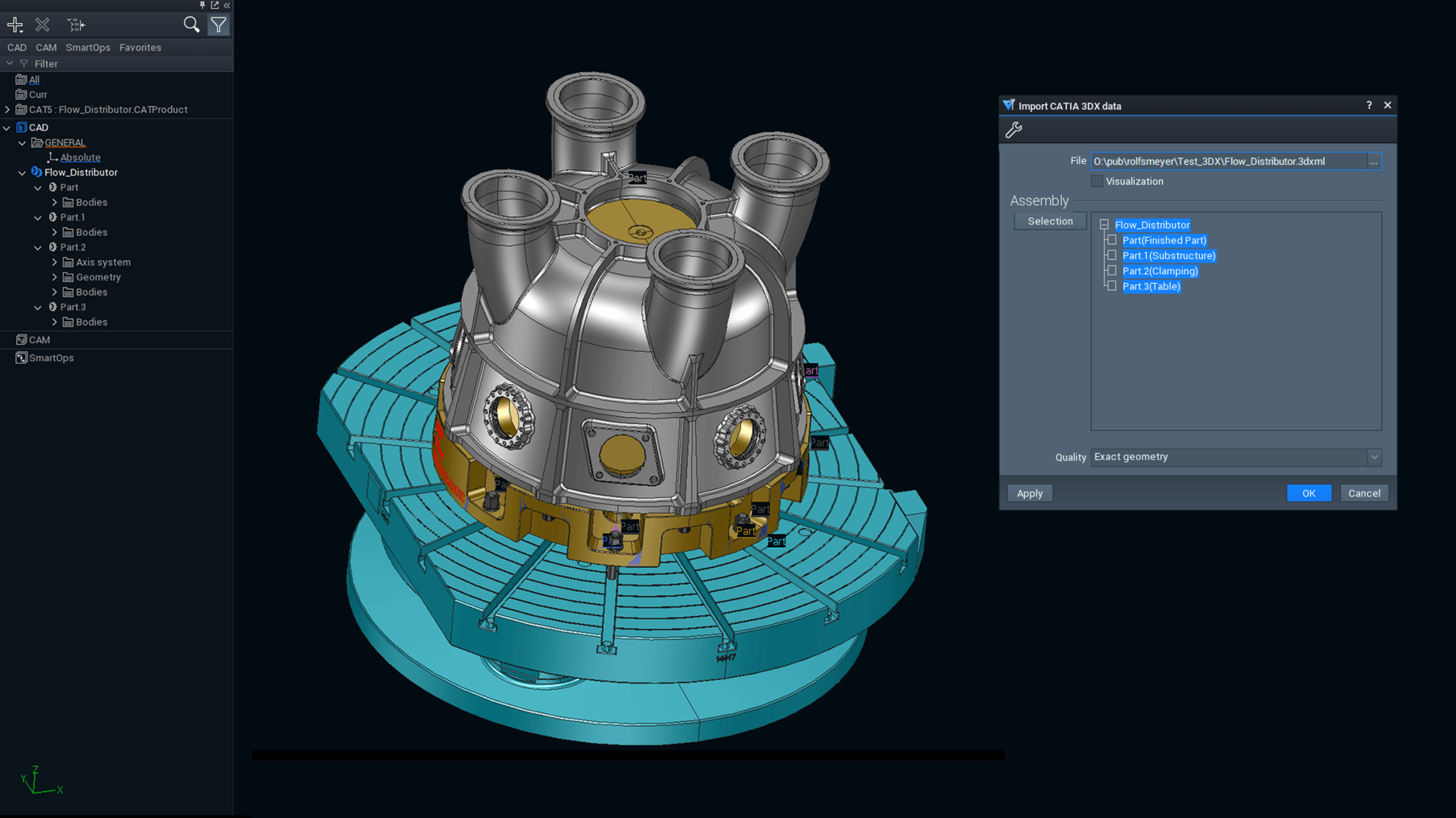
The new import interface for CATIA 3DEXPERIENCE allows direct exchange of CAD data from Dassault Systèmes’ database-driven platform. Data is imported via 3DXML files, which can be loaded seamlessly into Tebis and processed as normal. The functionality and scope of this feature follow those of the proven CATIA V5 integration, so established processes and workflows remain unchanged.
At the same time, it lets you lay the groundwork for integrating CAD data from modern 3DEXPERIENCE environments into your manufacturing processes safely and reliably.
Your benefits at a glance
- Seamless data exchange with CATIA 3DEXPERIENCE via 3DXML format
- Uniform handling similar to the established CATIA V5 interface
- Seamless further processing in existing Tebis processes
- Safe, reliable integration of state-of-the-art CAD data models into your manufacturing processes
- A sustainable investment thanks to support for the latest platform technologies
Result: You integrate CAD data from CATIA 3DEXPERIENCE into your existing processes, while remaining technologically prepared for the requirements of the future.
Targeted enhancements for efficient 3D design and SmartOps
Greater transparency in models, more convenient surface editing, and flexible automation in everyday design work
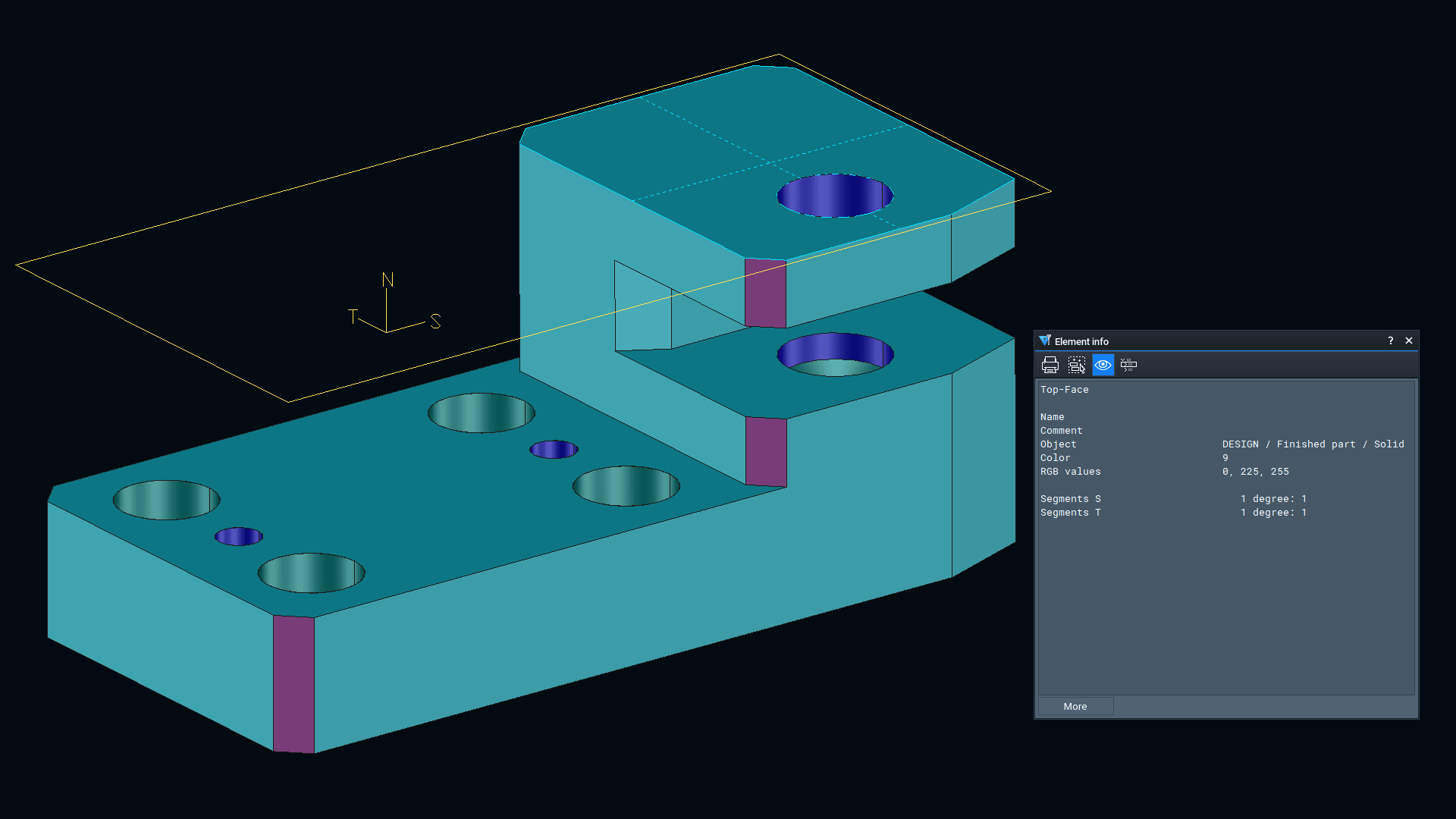
In 3D design, you now have even more direct access to all the relevant information in the model. A dynamic information window, available at all times, displays element data exactly when you need it, so there is no need to step outside your design workflow. You also select CAD elements precisely and reliably using name filters.
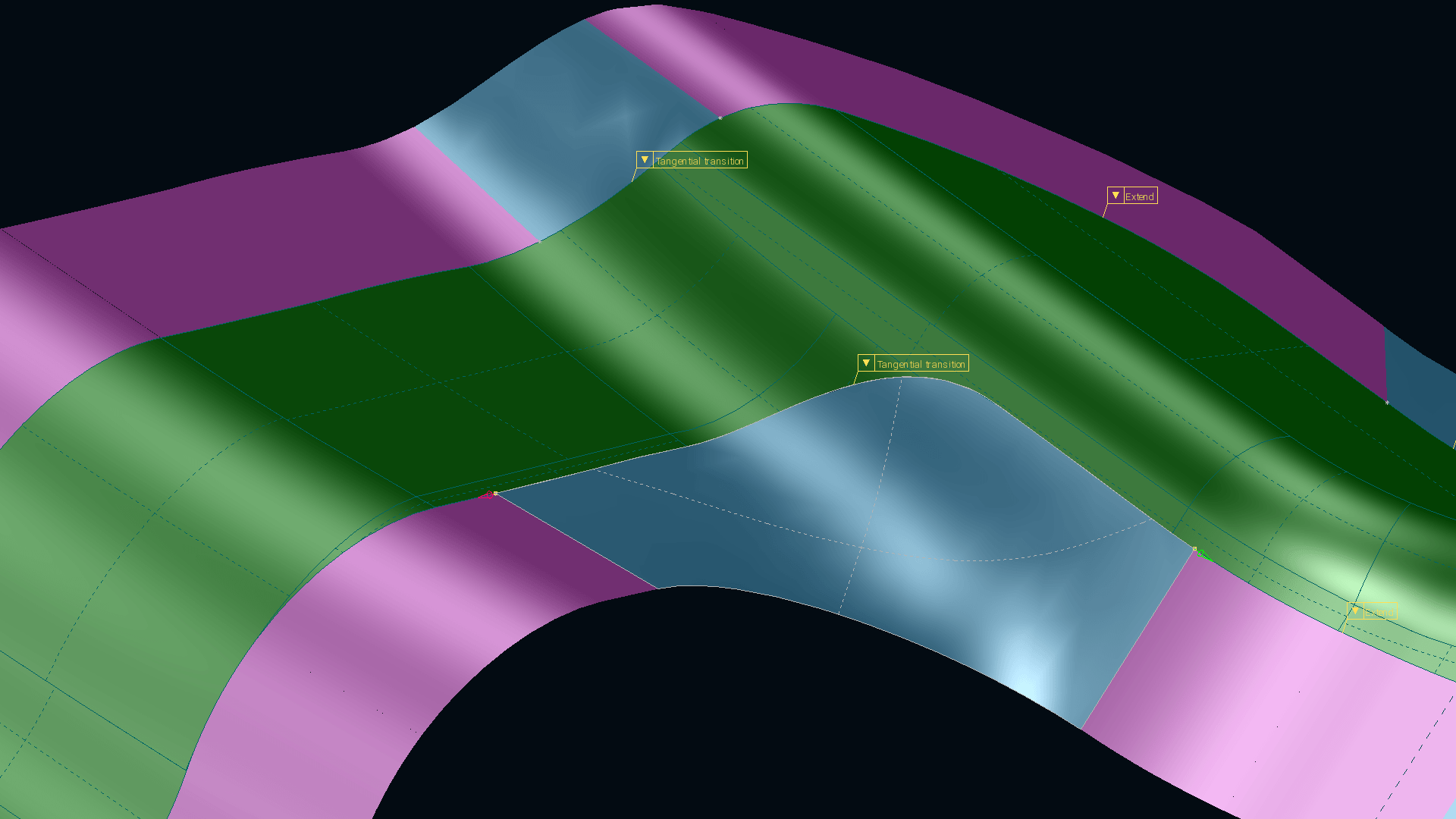
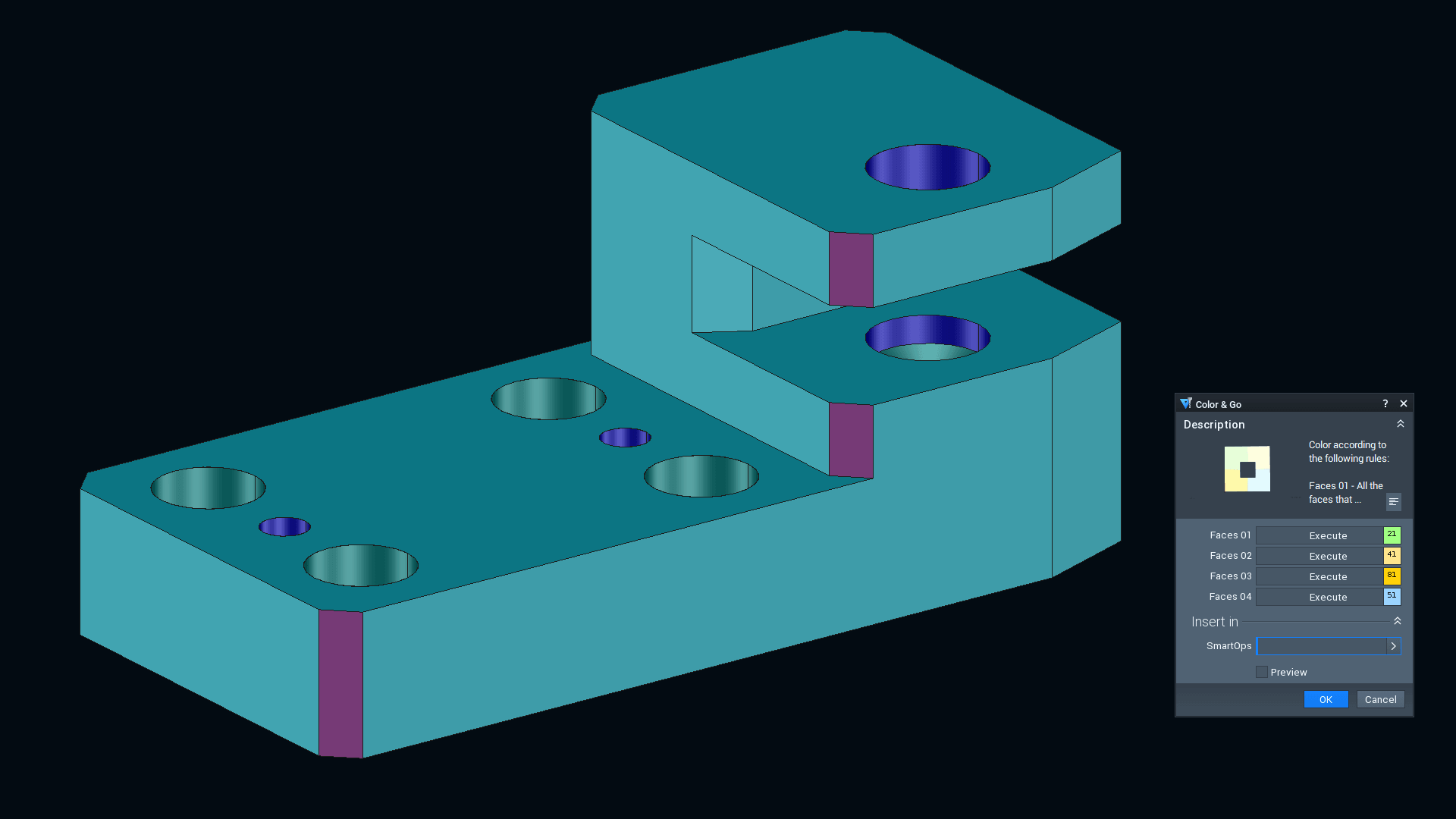
In addition, the "Create composite extended surfaces" (Combi-Extend) function has been enhanced, allowing you to achieve even better surface results for tangential surface extension. If you prefer, you can use interactive handles for direct, intuitive adjustment of surfaces.SmartOps help you work even more efficiently by automatically detecting and transferring parameters. You also easily color geometries directly within the SmartOps process to help maintain a clear overview at all times.
In addition, you adjust analysis functions directly in the respective function through a fast, customized, context-sensitive configuration process. You also work more efficiently in surface editing, such as when you create multiple offsets in a single step and check them directly. Automation, transparency, and flexible adaptation work together seamlessly.
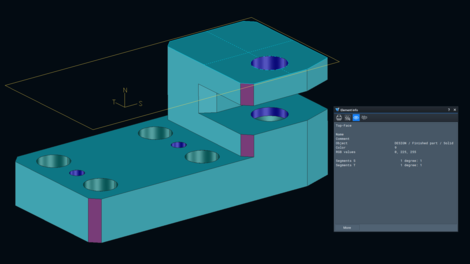 The information window adapts dynamically to the selection.
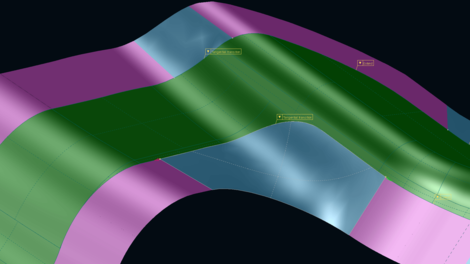 Automatically extend surfaces tangentially and optimize the results interactively if necessary.
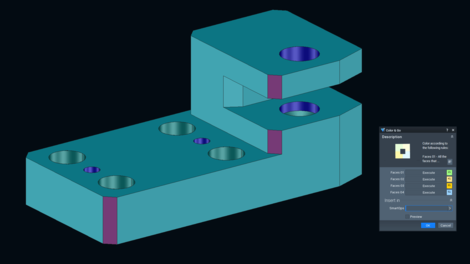 Automatically color geometries with SmartOps.
Your benefits at a glance
- Direct access to element data via permanently visible display in the model—no need to call the function again
- Intuitive surface editing with tangential extension and interactive handles for improved surface results
- Efficient application of SmartOps thanks to automatic parameter transfer and direct coloring
- Fewer manual assignment steps and automated processes mean significant time savings in your workflow
- Flexible configuration of analysis functions directly within the relevant function and context of use
- Even more stable and reliable processes thanks to consistent logic and reduced manual effort
Smart selection of CAD elements—automatically and accurately thanks to name filters
Result: You analyze geometries faster, edit surfaces more intuitively, and enjoy a high degree of automation by using SmartOps—while still maintaining great flexibility in your design process.CAM milling
2.5D milling: Targeted undercut machining at edges
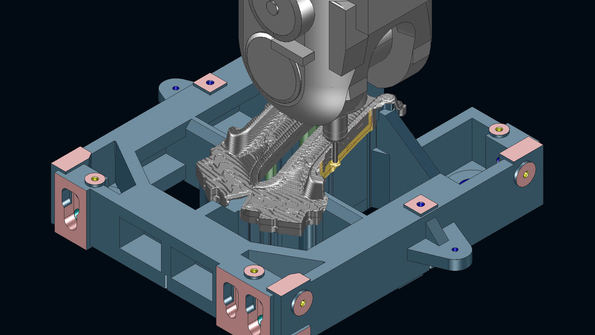
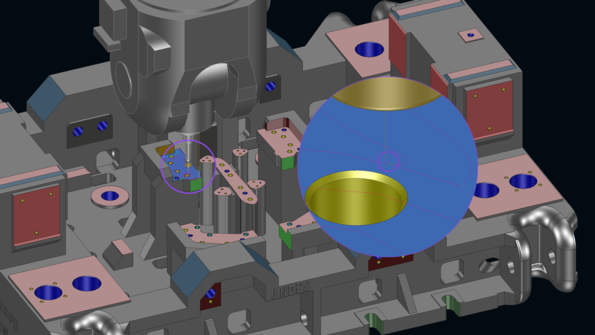
The “Clear out contours” feature allows you to edit undercuts on edges precisely without laborious workarounds.
To do so, define a contour and the corresponding undercut geometry, thus enabling undercut machining directly in 2.5D milling.
The feature supports key (lollipop) cutters as well as various modes for defining the undercut using curves, surfaces, or theoretical geometries.
This allows precise, cost-effective machining of undercut shapes even on 3-axis machines.
Your benefits at a glance
- Targeted machining of undercuts directly on defined edges
- No need for workarounds thanks to direct support for undercut shapes
- Very flexible options for defining them using curves, surfaces, or theoretical geometries
- Cost-effective machining on 3-axis machines, even for complex undercuts
Result: You program undercuts much more easily and efficiently machine undercut shapes, even on 3-axis machines.3D milling: Control the tilt axis and use projection logic
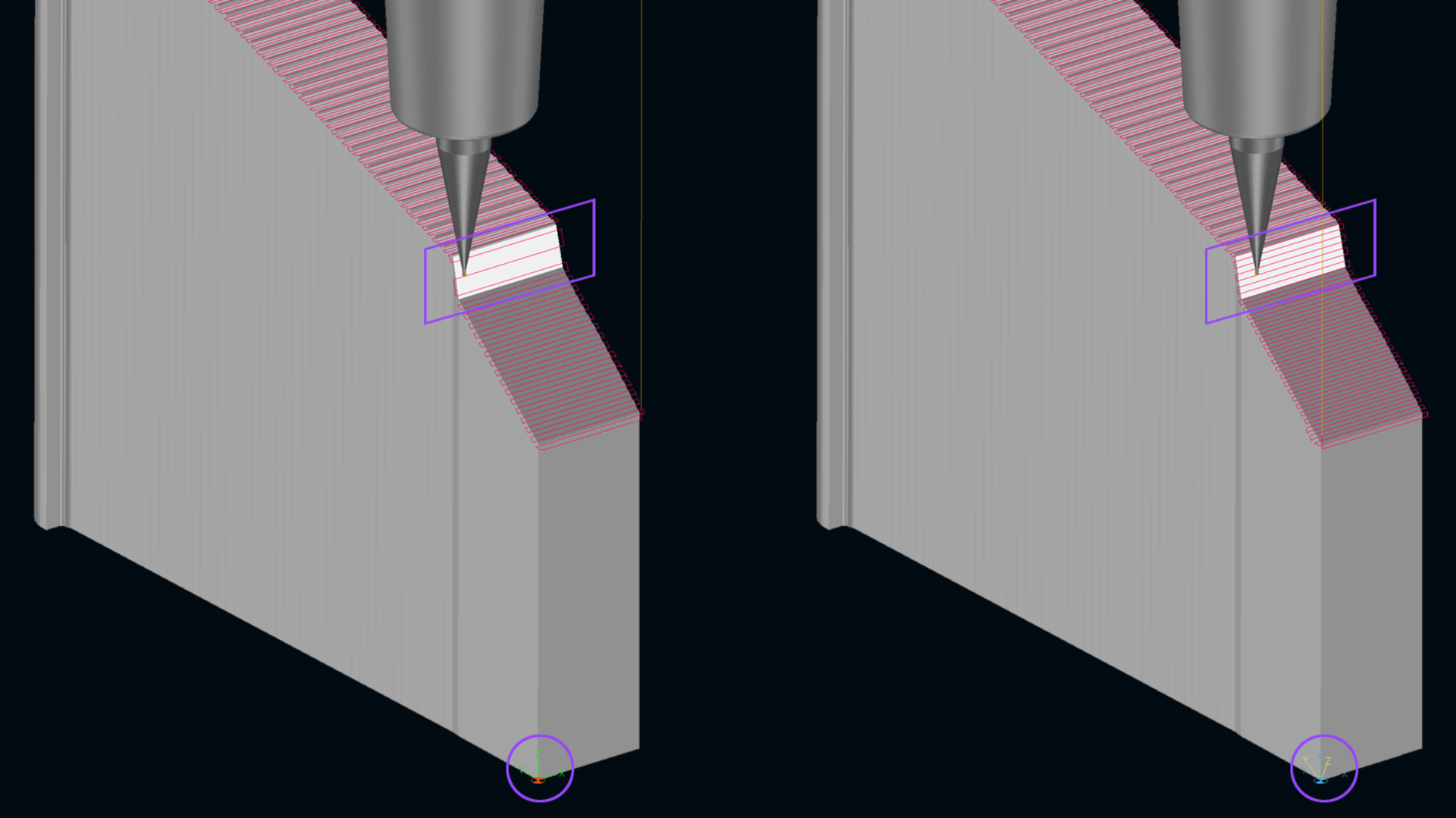
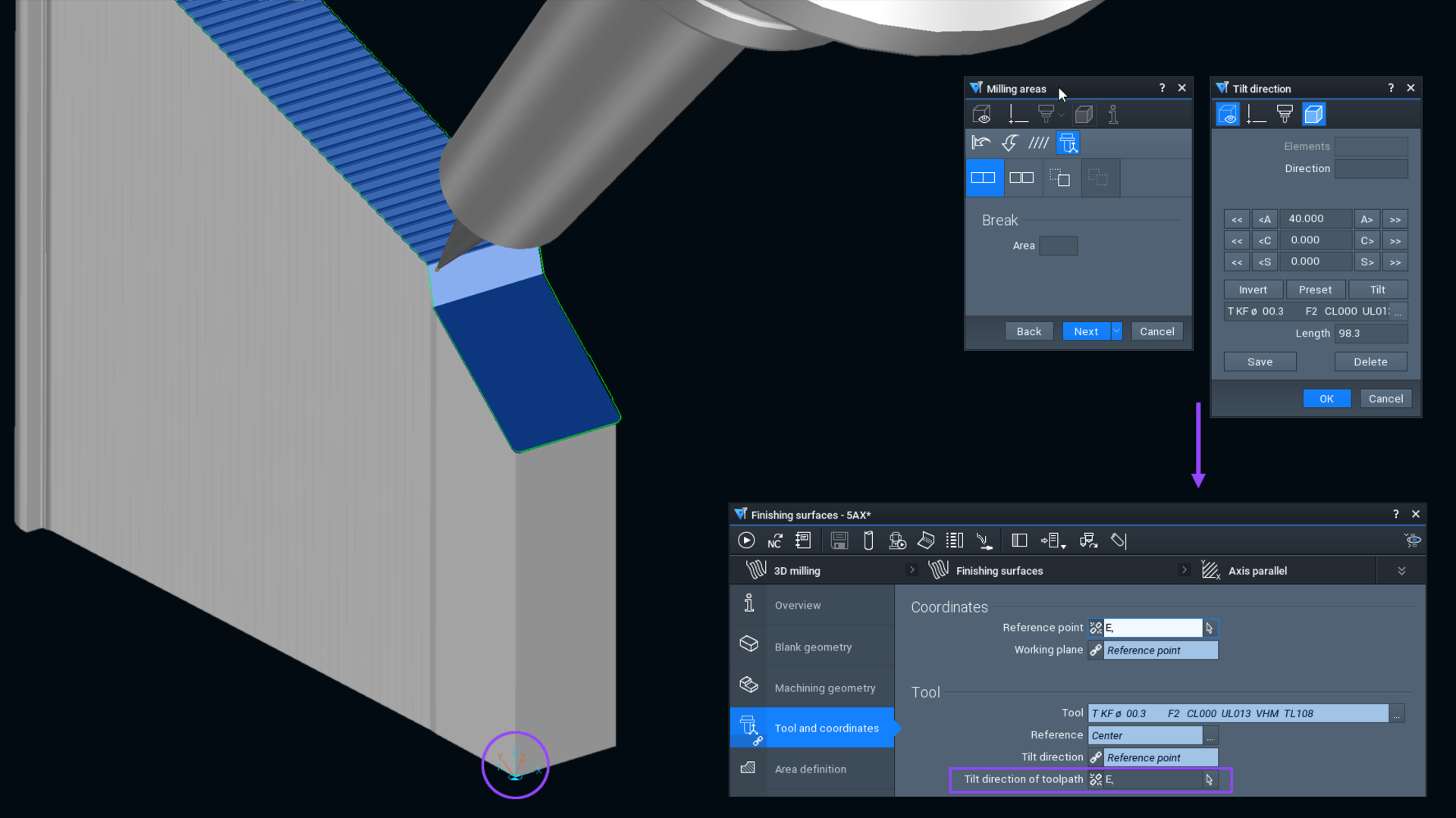
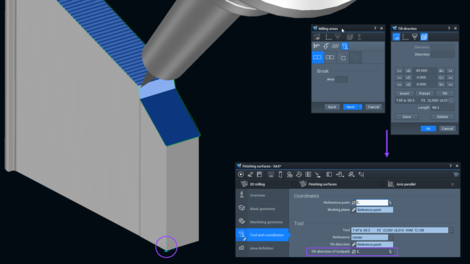
In 3D milling, you now control the tilt axis directly via the new job parameter “Tilt direction toolpath”. Interactively defined tilt directions are retained in NCJob and are automatically taken into account with changes. For 3-axis machining, you can switch back to the original reference axis system at any time. The optimized path layout is retained, so high surface quality is still ensured.
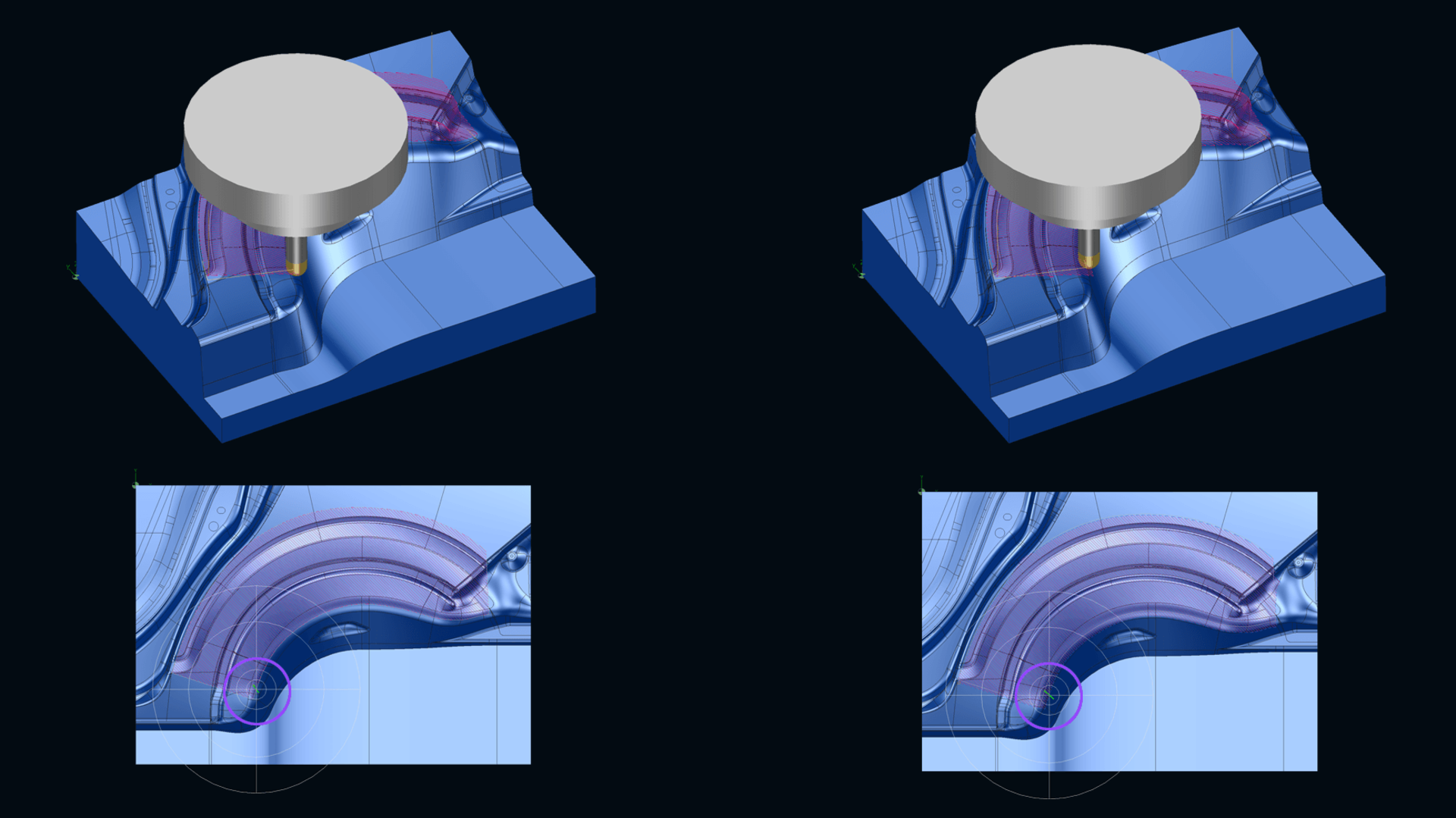
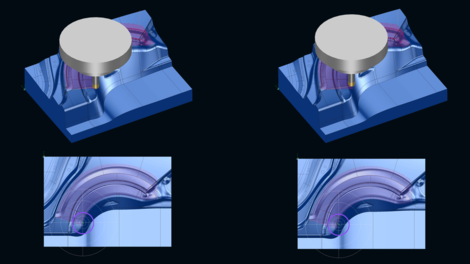
Meanwhile, the projection logic has also been standardized: Areas and guide elements can be controlled through one shared projection mode—either along the surface normal or in the tilt direction.
This allows you to combine geometric elements consistently and avoid unwanted transitions.
This function is available for ball cutters, and it supports processes like surface finishing and reworking, as well as combined residual stock machining.
Optimized path layout on 3-axis machines (right).
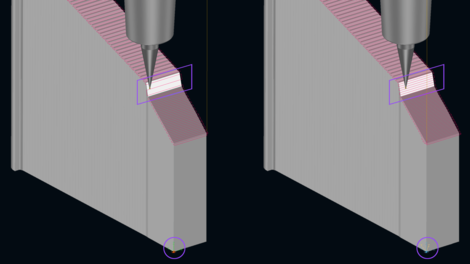
The tilt axis system remains saved after interactive adjustments.
Projection in the tilt direction (left) and along the surface normal (right).
Your benefits at a glance
- Interactive settings are saved automatically, so tilt directions remain available permanently
- Consistent projection behavior for areas and guide elements through one shared mode
- Higher part quality on 3-axis machines thanks to optimized path layout
- Better utilization of existing machine capacity through targeted use of projection milling
Result: You reliably control tool directions in NCJob, consistently combine areas and guide elements, and generate stable 3D toolpaths with less reworking.
2D plunge milling: Large stepovers and greater process safety
In 2D plunge milling, new features enable both larger stepovers and greater process safety. The “Check contact” parameter allows targeted deactivation of the contact check, so even large stepovers can be performed, such as when plunge milling into solid material. In addition, pendulum mode has been integrated into the sorting process to reduce machining times.
At the same time, integrated collision avoidance functionality supports machining by performing targeted evasive maneuvers in the Z-direction and disabling planes if necessary. That lets you handle even complex machining situations safely and reliably.
2D plunge milling: Large stepovers and greater process safety
Your benefits at a glance
- Realize large stepovers through targeted deactivation of contact check
- Efficient material removal when plunge milling into solid material without additional workarounds
- Shorter machining times through optimized pendulum mode
- High process safety thanks to integrated collision avoidance with axial avoidance
- More automation in complex machining situations
Result: You machine materials efficiently with large stepovers while also maintaining process safety—even for complex geometries.2.5D face milling: Smooth tool retraction at path end
 A gentle retraction with a radius of 0.5 mm.
In face milling, the retraction behavior for the “Concentric” and “Contour parallel” strategies have been optimized in the “Roughing planar surfaces” and “Finish bottom” functions.
Before each retraction, a defined radius of 0.5 mm is automatically added.
This ensures that the tool retracts evenly from the surface and prevents abrupt motions directly on the part.
Your benefits at a glance
- Improved surface quality through even retraction at path end
- Reduced tool wear thanks to less vibration on the part surface
- More stable machining processes without additional adjustments
Result: You achieve more uniform surfaces while also extending tool service life.
CAM drilling
With the new “Remove chips” strategy for thread tapping, the tool is deliberately retracted out of the bore after each stroke.
This function is available for both 2.5D drilling and turn drilling.
With this approach, chips can be accurately removed from the bore after each machining step, and the tool can be relubricated if necessary.
Thread tapping: Drilling deep threads with even greater process safety
Your benefits at a glance
- Greater process safety for deep threads through controlled tool retraction
- Reliable chip removal through retraction after each machining stroke
- Longer tool service life thanks to targeted relubrication during machining
Result: You machine deep threads with even greater process safety and extend your tool life through optimized chip removal and lubrication.CAM automation
Feature machining: Machine head checked against protected surfaces
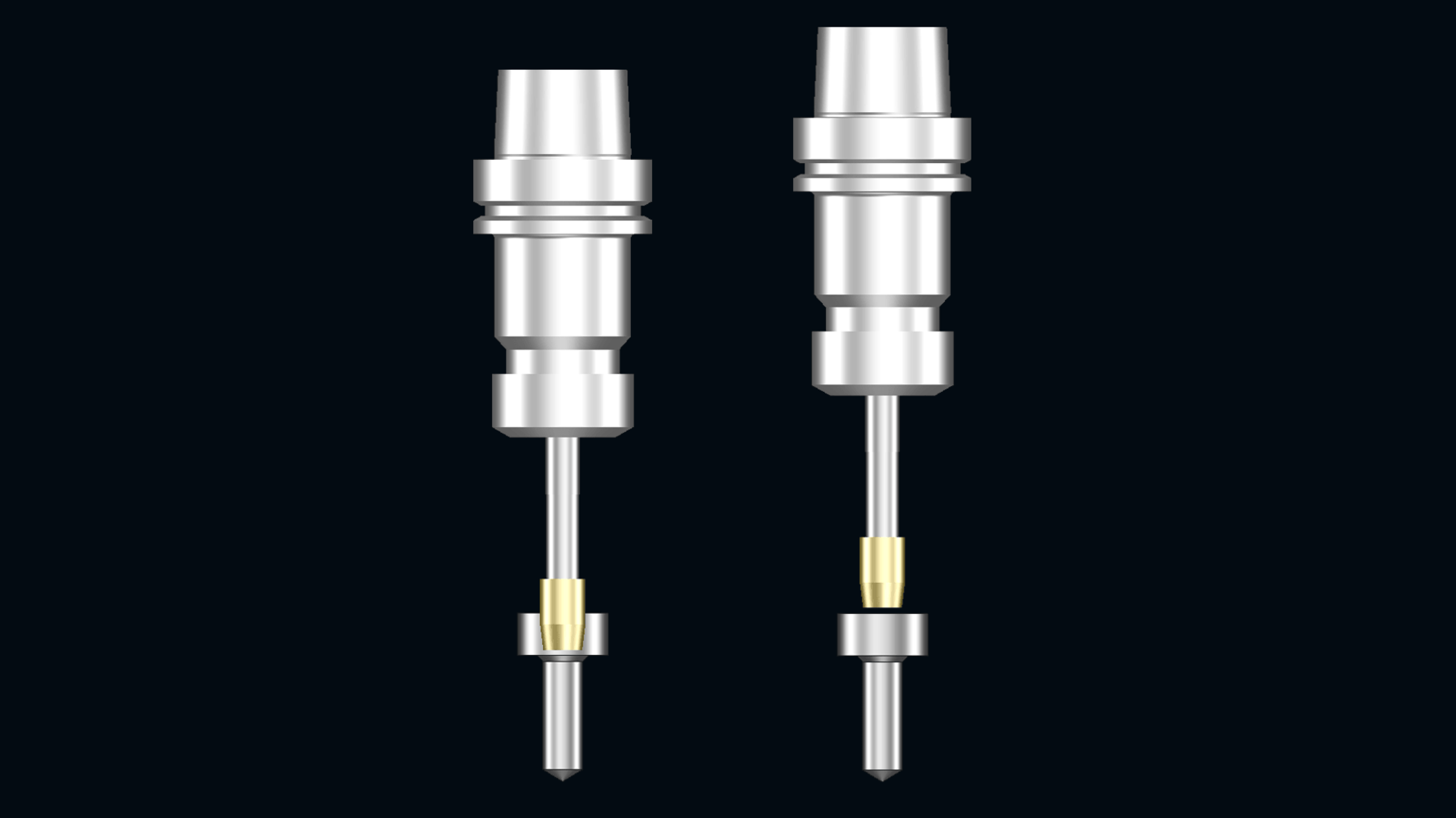
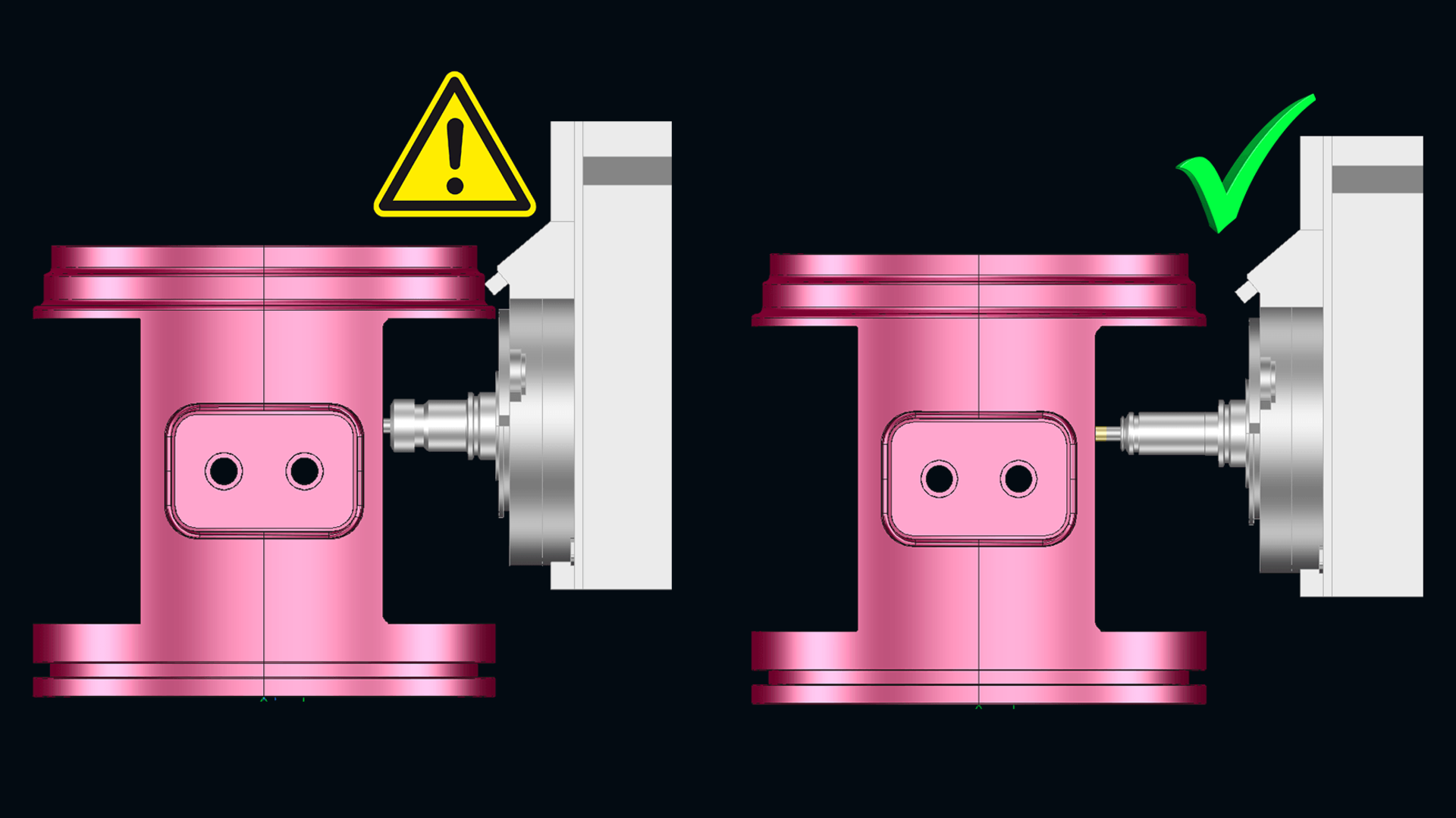
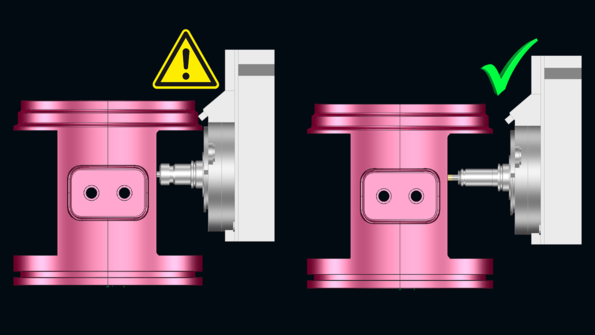 In the event of a potential collision, a longer tool is selected automatically.
For machining 2.5D free-form and ruled features, the “Check for machine head collision” option is now available.
If this option is enabled, the variable tool search automatically takes collisions between the machine head and protected surfaces into account.
Only suitable tools are offered. If a collision is detected, the system automatically selects a longer tool with the same diameter. Manual adjustments are no longer necessary, and the process remains stable from end to end.
Your benefits at a glance
- Even greater process safety thanks to verified collision-free tool selection
- Higher degree of automation through integration into the variable tool search
- Less manual effort for tool selection
- Stable machining of free-form and ruled features
Result: You machine 2.5D features safer and significantly reduce manual effort.
More flexible feature definition and efficient NCSet handling
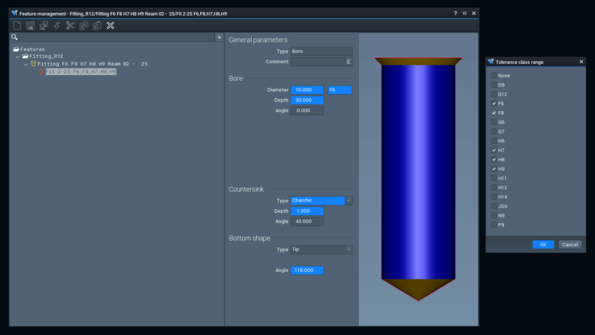 Variable feature definition using tolerances.
Variable tolerance ranges can now be defined in features, so a single feature covers multiple variants, reducing maintenance effort.
The NCSet library has also been expanded: Multiselection of NCJobs is possible, so they can be edited together and managed in an organized way.
Your benefits at a glance
Reduced maintenance effort thanks to variable tolerance ranges in features
- Time savings through multiselection and batch processing of NCJobs
- Clearer overview of feature and NCSet libraries
- Reduced susceptibility to errors thanks to centralized management
Result: You organize features and NCJobs more efficiently, reduce the number of variants, and accelerate your CAM processes.
CAM job planning
With the NC Organizer, you automatically order your NCJobs in a production-ready sequence after CAM programming.
Based on tool parameters, kinematic parameters, and user-specific parameters, the system carries out targeted optimization of processing by reducing the number of tool changes, tilt directions, and machine head changes. At the same time, NC programs and folders are restructured, creating a clear and comprehensible NC structure.
Existing settings are retained without triggering any additional recalculations.
Automatically optimize the order of NCJobs
Your benefits at a glance
Higher machine utilization due to fewer tool and tilt direction changes
Get the finished NC structure faster thanks to automatic optimization at the push of a button
Noticeable workload reduction for program output due to fewer manual steps
Greater transparency thanks to clearly structured NC programs and folders
Safe processes without the need for additional recalculations when reordering
Result: You automatically get a manufacturing-ready NC structure, increase machine efficiency, and significantly reduce the effort for work preparation.
Laser cutting and trimming
Automatic nesting of stanchions and base plates
With automatic nesting, you efficiently achieve optimal placement of stanchions and base plates on your plate.
This function complements manual placement and allows flexible integration into existing processes.
Available in NEST/LNEST and integrated into SEAT/LSEAT, it supports both trimming and laser cutting.
Stanchions and base plates are distributed automatically, reducing both waste and effort.
Your benefits at a glance
Reduced programming time thanks to automatic stanchion placement
Optimized distribution on the plate reduces material waste
As a complement to manual placement, this function supports a combined approach
Direct integration into NEST/LNEST and SEAT/LSEAT without any process interruptions
Result: You generate optimized nesting more quickly while also reducing material usage. Automated distribution ensures more efficient processes in your NC programming.
CAM machine technology
Automatic insertion of sister tools
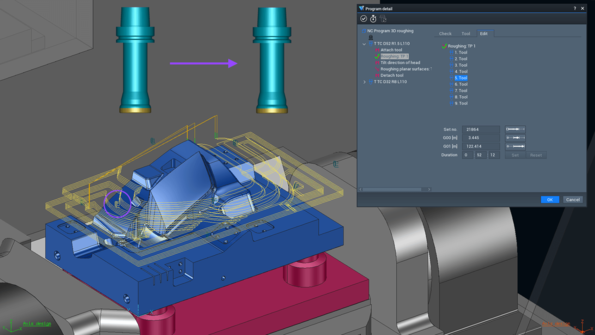 The tool is changed automatically according to specifications.
Twin tools (sister tools) are predefined in Tebis to ensure a continuous manufacturing process in the event of wear and tear or breakage.
As soon as a specified limit is reached, such as tool life or path length, the system automatically generates the appropriate tool change along the toolpath.
In addition, it is possible to automatically program and simulate tool breakage checks and other machine cycles, such as timed flushing pulses to improve chip removal.
This automates the tool change process and integrates it reliably into the NC sequence.
Your benefits at a glance
Uninterrupted operation thanks to automatic change to predefined sister tools
Improved process safety through integrated tool breakage detection and simulation
Predictable tool life thanks to configurable limits on time or path length, for example
More efficient machining with automatically programmable machine cycles
Improved chip removal through targeted integration of flushing pulses
Result: You ensure integrated tool changes and supporting machine cycles directly in a stable, automated NC process.
Contact
Please fill out the form, and we will contact you shortly to discuss your individual questions and requests!